By David Support · November 12, 2026 · 2 min read
You do not need a large IT department to be well protected, but you do need the basics covered. Use this checklist to find the gaps before they cost you.
Key takeaways
- Most small business IT incidents come from missing basics, not from sophisticated attacks.
- Backups, multi-factor sign-in and updates prevent the most damage.
- Make sure the company, not one person, owns every important account.
- You can work through this list in an afternoon, and we can do it with you.
1. Tested backups
Every important file backed up automatically, with one copy off-site, and a restore test at least occasionally. See the 3-2-1 method.
2. Multi-factor sign-in everywhere
Turn on multi-factor authentication for email, banking, accounting, cloud storage and administrator accounts. It blocks most account takeovers.
3. A password manager
Unique, strong passwords for every account, stored safely, instead of notes, spreadsheets and reused passwords.
4. Automatic updates
Operating systems, browsers, routers and business software kept current. Most successful attacks use flaws that already had a fix available.
5. Business email on your own domain
Professional addresses on a hosted service, correctly configured so mail is trusted and not spam-foldered. Read setting up business email the right way.
6. A properly set up network
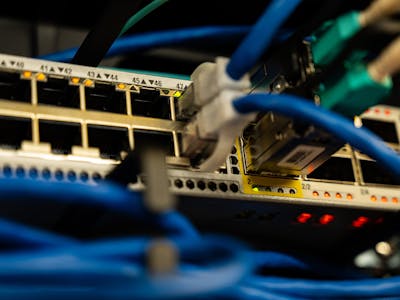
A real firewall, current equipment, a separate guest network and dependable coverage. See why you need a managed network.
7. Protection on every computer
Up-to-date security software on all machines, with disk encryption turned on for laptops, so a lost laptop does not become a data breach.
8. An inventory of what you own
A simple list of computers, phones, software licenses, warranties and who uses what. You cannot protect or replace what you have not listed.
9. A process for people joining and leaving
A checklist to set up accounts for new staff and, just as important, to remove access promptly when someone leaves, including shared passwords and personal devices.
10. Documentation and company-owned accounts
Domain, email, cloud and hosting accounts registered to the company with more than one authorized person, and the important details written down somewhere safe. If one person disappears, the business should still run.
How did you do?
If you cannot tick most of these, you are not alone: they are the gaps we find most often. David Support can review your setup for free and give you a prioritized plan with costs. See small business IT support.
Frequently asked questions
What IT does a small business actually need?
At minimum: reliable backups, multi-factor sign-in, regular updates, business email, a secure network and a plan for staff joining and leaving.
How much should a small business spend on IT?
It varies with size and risk. A free assessment will show what is missing and what it costs to fix, so you can spend where it matters most.
Do you offer ongoing support, not just one-off fixes?
Yes. We can look after your systems on an ongoing basis or help with one-off projects.
Free diagnostics
We find the problem at no cost and explain it in plain English.
$39–$75 per hour
Straightforward hourly rates. You approve the cost before work starts.
No fix, no charge
If we cannot fix it, you pay nothing. Repairs carry a 30-day warranty.